Start with the upload requirement
An upload form may accept a PDF only if it is below a stated size. Write down that limit before changing the file. In this worked example, the goal is a one-page PDF below 300 KB (300,000 bytes). Your form may use a different limit or count units differently.
Keep your original. If you only need some of its pages, use Extract pages first and download that result. Removing unneeded pages can reduce the amount of content you need to compress. Do not remove a page the receiving service requires.
Try these settings in order
- Open Compress PDF. Choose your PDF. The tool accepts a PDF up to 25 MB and 50 pages. For this example, download the original scan below.
- Try optimization first. Keep “Optimize without changing page images” and select “Create result.” This rewrites the PDF structure while keeping its page images. It may save very little on an already efficient file.
- For a scan, try balanced compression. Choose “Smaller, image-based PDF,” then “Balanced · 108 DPI.” Read and select the acknowledgment about pages becoming images. Create and download the result.
- Use the smaller setting only if needed. “Smaller file · 72 DPI” trades more detail for a smaller file. Compare it with the balanced output before choosing it. Each setting creates a new result; save any version you want to keep.
Image-based compression turns every page into a picture. Selectable text, clickable links and interactive fields are removed. If you need those features, keep the optimized version or reduce the source images in the application that created the document.
Worked example: a textured scan
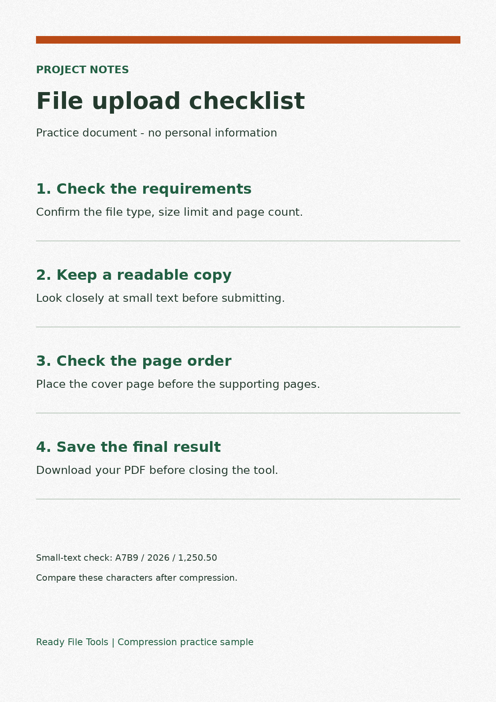
Our synthetic English checklist has one A4 page with paper texture, large headings and a small line of letters and numbers. The texture deliberately makes the original large. It is a practice file, not a prediction for every PDF.
| Version | Exact size (bytes) | Below target? |
|---|---|---|
| Original scan | 2,370,449 | No |
| Optimize | 2,370,068 | No |
| Balanced · 108 DPI | 111,287 | Yes |
| Smaller · 72 DPI | 28,446 | Yes |
Optimization barely changed this scan. Both image-based results passed our 300 KB target. The balanced file retained more detail, so it is the useful starting choice here. The smaller output softened the tiny characters further. Compare the actual files at the same zoom, especially A7B9 / 2026 / 1,250.50 near the bottom.
How this example was checked
The downloadable examples were checked on 15 September 2026. These are local processing tests with the site’s PDF code and a native canvas adapter, not a timed browser benchmark. Browser image encoders and device limits can change file sizes.
Check the file you will submit
Open the downloaded PDF and inspect small text, dates, numbers and page edges. Confirm the page count stayed the same. Use File checker on that downloaded file to compare its size with the receiving form’s requirement. The checker does not submit the file or guarantee the form will accept its content.
If it is still too large, first remove genuinely unnecessary pages or reduce large source photos. Repeatedly compressing the same image-based result can reduce legibility without a useful size saving. If the tool returns the original with a “not smaller” message, compression did not improve this file.